<img height="1" width="1" style="display:none;" alt="" src="https://px.ads.linkedin.com/collect/?pid=632193&amp;fmt=gif">

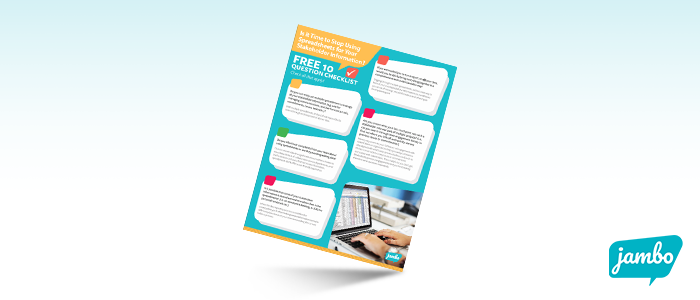
The step-by-step guide to switching from spreadsheets to SRM software

Everything you need to make the case, plan the switch, and handle the pushback.

If you're already managing stakeholder engagement in spreadsheets and looking for a better way, this guide walks you through the whole process. The 10 specific problems spreadsheets cause, the 6 steps to make the switch, and word-for-word responses to the four most common objections you'll hear from leadership, IT, or colleagues.

It's the kind of guide you read once to confirm your instincts, then come back to when you're building your business case.

What's inside:

  • The 10 problems with using spreadsheets for stakeholder engagement. From disorganized data and inconsistent entry, to missed commitments, mixed messages, and risk to your reputation. The specific problems that compound over time, with examples.
  • Why teams are switching to Stakeholder Relationship Management (SRM) software. What SRM is, how it differs from a CRM, and why purpose-built software matters for engagement work.
  • A 6-step process for switching from spreadsheets to SRM software. From selecting the right SRM partner to finding an executive champion, preparing your team, evaluating workflows, prioritizing projects, and migrating contact data.
  • Word-for-word responses to 4 common objections. What to say when someone asks, "Do we really need another software?" "Isn't this how it's always been done?", "Aren't spreadsheets safe enough?", or "Why not just use a CRM?" Useful for internal conversations and procurement decks.
  • A real-world cautionary tale: The story of an organization that bought a CRM instead of an SRM, spent millions customizing it, and ended up back on spreadsheets before eventually switching to purpose-built software.

Get instant access to the guide now!


Who this guide is for:

  • Engagement, consultation, and community relations teams currently using spreadsheets
  • Team leads building an internal business case for purpose-built software
  • Anyone who needs help responding to "but spreadsheets work fine" objections
  • Procurement and IT teams evaluating SRM vs CRM software

If you've already decided on Jambo, skip this and book a demo instead. This guide is for teams still working through the decision.

Jambo is trusted by governments and organizations worldwide


Frequently Asked Questions (FAQs) about the step-by-step guide to switching from spreadsheets to SRM software

Here, you can find answers to the most commonly asked questions about Jambo's guide to switching from spreadsheets to SRM software.

If you don't find the answer you're looking for, our friendly sales team is always here to help. You can contact us at hello@jambo.cloud.

Is this guide only useful if I'm planning to buy Jambo?
No. The framework for evaluating, switching, and handling internal objections works for whatever SRM you end up choosing. Jambo is mentioned, but the guide is built around the process rather than the product.
How long is it?
12 pages. Designed to be read in one sitting and used as a reference when you're building your business case.
What's the difference between SRM and CRM software?
CRM software is built for sales and marketing teams managing customer relationships. SRM software is built for engagement teams managing stakeholder relationships, which involves tracking commitments, issues, communications, and consultation activities that don't fit a sales pipeline. The guide covers this in detail, including the cautionary tale of an organization that learned this the hard way.
My team is skeptical about switching. Will this help?
That's exactly what chapter 5 is for. The four objections and word-for-word responses are intended for use in real meetings and conversations with colleagues, leadership, or IT.

Ready to see what an SRM actually looks like?

If you've already worked through the decision and want to see how Jambo handles the things spreadsheets can't, book a 15-minute call with our team. We'll answer the questions your team is asking.